Markup
HTML
<ul class="tray-gallery tray-gallery--lead" data-tray="lightbox" data-target="#farm-pictures" aria-label="The farm in pictures">
  <li>
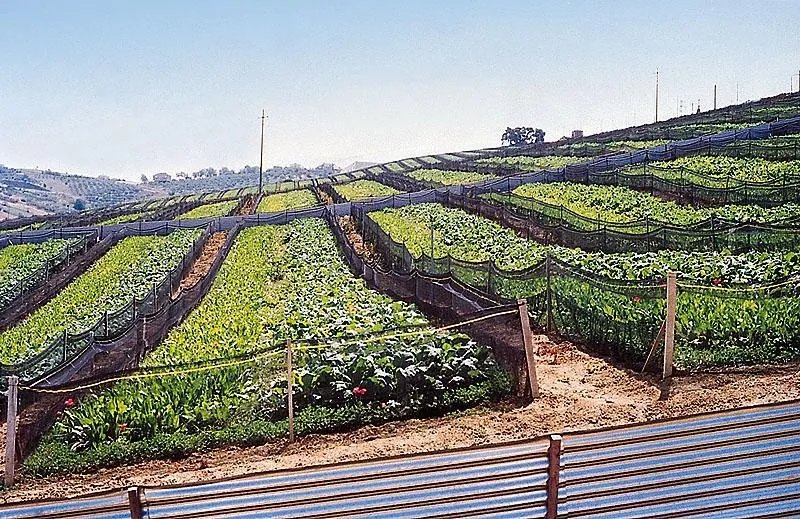
    <a class="tray-gallery__item" href="beds.webp" data-caption="Open-air snail beds on a hillside, each fenced with fine net.">
      <img src="beds-thumb.webp" alt="Rows of leafy green snail beds on a hillside, each fenced with black net" width="640" height="415" loading="lazy">
    </a>
  </li>
  …one item for each picture…
</ul>

<dialog class="tray-lightbox" id="farm-pictures" data-tray="dialog" aria-label="The farm in pictures" data-of="of">
  <div class="tray-lightbox__bar">
    <span class="tray-lightbox__count" aria-hidden="true">1 / 6</span>
    <button class="tray-btn tray-btn--quiet tray-btn--icon" type="button" data-close aria-label="Close">…x icon…</button>
  </div>
  <div class="tray-lightbox__nav">
    <button class="tray-btn tray-btn--icon" type="button" data-prev aria-label="Previous picture">…chevron-left, tray-icon--flip…</button>
    <button class="tray-btn tray-btn--icon" type="button" data-next aria-label="Next picture">…chevron-right, tray-icon--flip…</button>
  </div>
  <ul class="tray-lightbox__track" role="list" aria-label="Pictures"></ul>
  <p class="tray-vh" role="status"></p>
</dialog>- The gallery is a grid of thumbnails, each a link to the full picture. A thumbnail is at least
--tray-thumbwide (11rem unless you set it on the gallery), and the row takes as many as fit.tray-gallery--leadmakes the first one twice the size: with three to a row, a lead and five more fill three rows exactly. Without the script a link opens its picture, so the gallery works anyway. - The lightbox fills the window on the ink ground. The first time a picture is opened, the behaviour fills the track from the links: each picture is the link's
href, its text is the thumbnail'salt, its caption is the link'sdata-caption. The pictures after the first one load lazily. - The track is the browser's own scroll with snapping, so swipe, trackpad, the arrow keys, Home and End all move through the pictures. The two buttons step one picture and turn off at the ends; the count follows the scroll; the status line says which picture you are on once the scroll settles.
- Escape and Close shut it, and the focus goes back to the thumbnail that opened it. A press with Ctrl, Cmd or Shift still opens the picture in a new tab.
- On a phone the two buttons move to a row at the foot, clear of the picture.
data-ofholds the word between the numbers in the status line and the slide labels ("2 of 6"); write it in the language of the page.
You provide
The full pictures and their thumbnails, a real alt for each thumbnail (it is the picture's text in the lightbox too), and a caption wherever the picture needs one to be understood.
Accessibility
- It is the browser's own
<dialog>, named by itsaria-label. Each thumbnail link takes its name from the thumbnail'salt. - The track is a list of the pictures (keep its
role="list": without bullets Safari would drop it). In each item the<figure>is a group announced as a slide and named "2 of 6", with the samealtand its caption in a<figcaption>. - The arrow keys,
HomeandEndwork from anywhere inside, not only on the track, and mirror underdir="rtl". The track takesTabtoo, with the 3px ring drawn inside its edge. - The count is
aria-hidden: therole="status"line reads "2 of 6" and the caption once the scroll settles. When a step button turns off at an end, focus moves to the other one. - Under
prefers-reduced-motion: reducethe pictures change without a smooth scroll and the lightbox fades in a tenth of a second.
Do and don't
- Do give each thumbnail its
widthandheight, so the gallery keeps its shape while it loads. - Do make a thumbnail a smaller file of its own, not the full picture scaled down.
- Don't put anything but pictures in a lightbox: a form or a video belongs in a dialog or on the page.
- Don't move through the pictures on a timer. Nothing in the system moves on its own.